Pages that keep themselves up-to-date
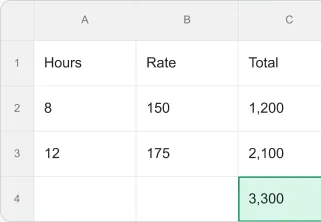
Write, visualize, research, and code with ChatGPT right on the page. Set it to update from your connected tools, so you spend less time keeping it current.
ChatGPT Space
Create interactive pages, slides, and sites with your team and AI agents in ChatGPT. Work from the same context and build on each other’s ideas.
Available on Plus, Pro, Business, and Enterprise plans.
Write, visualize, research, and code with ChatGPT right on the page. Set it to update from your connected tools, so you spend less time keeping it current.
Tell ChatGPT what you have in mind and get a polished, presentation-ready deck with images, charts, and interactive visuals. When you’re ready, export in any format.
Make a website or app for any idea, project, or event. Share it with your team or publish it for anyone to use.
Edit pages with teammates, share feedback, and ask ChatGPT to make changes—all on the same draft.
Keep your pages, slides, spreadsheets, images, and sites together. Build on your work with your team and agents, or start something new with ChatGPT or a template.
Create pages, slides, sites, and interactive prototypes together.

Turn scattered notes into a to-do list. Set it to update as priorities change, and ask ChatGPT to help with the next task.


Ask your dot to keep a project plan updated, organize next steps, or revise a slide. It also draws on context from Space to flag what needs your attention. Dots are available on Pro, Business Premium, and Enterprise plans in eligible markets.
Open Space from the ChatGPT sidebar. If the sidebar is collapsed, expand it to find Space. Ask ChatGPT to turn an existing conversation into a page, or start from a template. Add your brief or source files, then ask ChatGPT to help refine the work.
Space is the home for the pages and files you create, upload, and share in ChatGPT. Use it to bring project context together and keep building on the work.
Write a project plan, organize research, or work through a decision. Bring text, images, charts, and interactive tools together, then ask ChatGPT to help revise the page.
People with edit access can work on the same page, leave comments, and ask their own ChatGPT to help make changes.
Use Share to invite collaborators and choose view or edit access. In a workspace, admin settings and sharing rules apply. If teams are enabled, you can share with a team.
No. Collaborators can see what’s on the shared page, but sharing it does not give them access to your private chats or personal memory. Review anything copied onto the page before sharing.
Add files or ask ChatGPT to use a connected tool. A linked source file keeps its own permissions; content copied or summarized onto the page is visible to people with page access.
Ask ChatGPT to update it when something changes. For recurring updates, set up an automation with instructions for what to update, which sources to use, and how often to run. Return to review the changes.
Space is available on Plus, Pro, Business, and Enterprise plans.
Find guides and examples to get started with Space.
Explore more ways to turn ideas into finished work.
Connect the tools you use to bring more context into your work.